
One Israeli family sought assistive technology for their daughter with dysgraphia. Some tools proved more useful than others. The question behind that search is familiar to many families: when handwriting makes written work difficult, how can a child show what she knows?
The available account leaves important details open. It does not identify the tools the family tried, the order in which they tried them, or what changed in their daughter’s schoolwork. Their experience gives us a reason to examine how tools fit a child’s tasks. The school trial in this article is practical guidance for other families, not a reconstruction of what this family did.
One Family’s Search for a Way to Finish Schoolwork
A writing assignment can ask a child to do several things at once: understand a question, form an answer, put it into words, write those words down, and check the result. For a child with dysgraphia, producing handwriting may take so much effort that little attention remains for the answer itself. A half-finished page tells a teacher what reached the paper. It may tell far less about what the child understood.
That distinction sits at the heart of this family’s search. Assistive technology offered possible ways for their daughter to complete written work, yet usefulness differed among the tools they considered. The record does not say why. A tool might suit one assignment and interrupt another; it might work comfortably at home and feel conspicuous at school. Those are questions worth testing, not explanations to assign to this family without an interview or work samples.
For parents and teachers, the immediate goal is specific: give the child a workable way to express her knowledge on a real school task. Educational programs and special education resources can support that goal when everyone starts with the work the child needs to do, rather than a list of device features.
Find the Writing Barrier Before Choosing the Tool
A parent may hear a clear answer at the kitchen table and then see only a few words on the homework page. A teacher may see the same gap during a timed classroom assignment. Neither observation, by itself, explains the whole difficulty. Together, they can help identify where the work stalls.
Start with a recurring assignment the child already knows. Ask what ideas she wants to include. Look at what she manages to handwrite, how much of the task she completes, and whether she can read and revise her answer afterward. Keep the comparison tied to the same kind of task. A spoken explanation of a familiar topic and a handwritten answer to a new question make a poor comparison because the demands differ in more than one way.
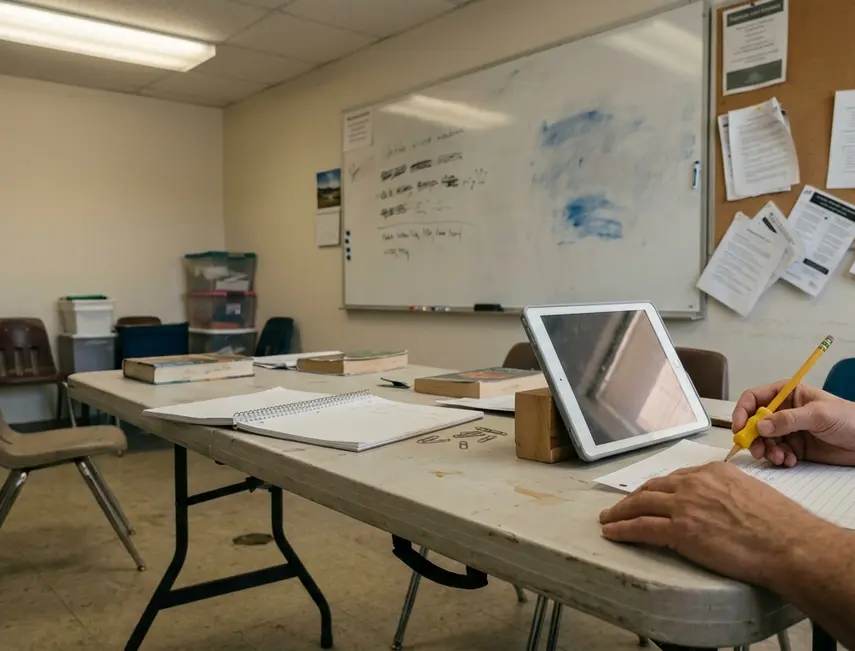
Match the support to the assignment
Drafting a paragraph leaves room to pause, rearrange sentences, and edit. A short answer may call for a quick response that a teacher can read immediately. Classroom notes ask the child to listen and record information at the same time. Each task puts pressure on a different part of writing, so each deserves its own question about support.
- For a paragraph: Can the child get her ideas into a draft and then make a meaningful change to it?
- For a short answer: Can she respond within the ordinary flow of the lesson while making her knowledge clear?
- For notes: Can she capture information she will be able to use later without losing track of what the teacher is saying?
Ask the child, too. A method that looks efficient to an adult may feel uncomfortable or draw attention she does not want in a shared classroom. Her account of effort, privacy, and frustration belongs beside the finished assignment when the adults decide what to try.
Difficulty producing handwriting does not establish a lack of knowledge or motivation. Separating those questions gives the teacher a clearer view of what the assignment is meant to assess. It also keeps the child from having to defend what she knows while everyone is still figuring out how she can put it on the page.
Where Typing, Dictation, and Word Prediction Fit
Typing, speech-to-text, and word prediction are possible trials for a child with dysgraphia. The family’s account does not verify that they used any of them. Their value here is as examples of how a promising feature can meet the practical demands of school.
Typing when the keyboard takes over
Typing may ease the physical demands of handwriting and leave the child with text she can read and edit. That makes it worth considering for a paragraph or another task where revision matters. Yet finding keys can take effort of its own. If keyboard fatigue arrives before the answer is finished, the child has traded one obstacle for another.
Watch the whole assignment, rather than the first sentence. Can the child continue typing long enough to finish? Can she find and change a word without an adult taking over? An answer produced with frequent help may still be useful, but the teacher needs to know how that answer came about.
Dictation in a room full of classmates
Speech-to-text can let a child capture ideas while they are fresh. Consider a dictated paragraph at home: she can speak, look at the resulting text, and correct a sentence. Now consider a short answer in a shared Israeli classroom. Speaking aloud may interrupt the lesson or expose an answer she would rather give privately. The task and setting change the value of the same tool.
Dictation also creates editing work. The child needs a way to notice when the text differs from what she meant and to fix it. If the teacher is assessing how she organizes an answer, an unreviewed transcript may obscure that skill. A trial should include the child’s chance to check the result.
Word prediction without losing the thought
Word prediction offers possible words as a child writes. It may help when spelling slows her down. For another child, scanning suggestions may break the thread of a sentence. The useful question is whether the suggestions help her finish and revise the assigned work, while leaving her in charge of its meaning.
These options do not form a ladder that every child must climb. Compare each candidate with the demands of an ordinary assignment. Note whether the child finishes, how much help she asks for, how the time feels to her, and whether she can revise what she produces. In this family’s case, there are no verified work samples or interviews that would support naming a winning tool.
Run a Classroom Trial the Child Can Help Judge
A small trial can keep a family from making a big decision on the strength of one good afternoon. Parents and teachers can set it up together, with the child involved from the start. This is a suggested process for readers; it is not an account of the Israeli family’s actions.
Before the first assignment
Choose one writing task that comes up regularly, such as a short answer to a lesson question. Agree on what the child should demonstrate. If the aim is to explain an idea, the teacher should be able to assess that explanation in the resulting work. If the aim is to practise handwriting itself, replacing handwriting would change the task. Agree on that distinction before introducing a device.
Keep an ordinary example of the task as a point of comparison, then try a similar assignment with a single tool. The assignments need comparable demands; they need not be identical. Tell the child what the adults are looking for and invite her to name what she wants to feel easier.
While the child works
Use conditions that resemble the classroom where the tool would have to earn its place. Think about the available space, noise, time, and expected level of independence. If an adult sets up the tool or corrects its output, record that help. Otherwise, a smooth-looking answer can hide work the child could not yet do on her own.
Keep notes simple enough that someone will actually use them:
- Task: What assignment did the child complete?
- Tool: Which single support did she try?
- Adult help: What setup, prompting, or editing did someone else provide?
- Child’s experience: What felt easier, harder, comfortable, or awkward?
- Teacher assessment: Can the teacher judge the learning shown in the finished work?
Review the notes with the child after each use. Ask what she could do, where she got stuck, and whether she would use the approach again in class. Her answer may point to a small adjustment, such as changing where she sits for a task, or it may show that the tool is poorly suited to that setting.
When it is time to decide
Bring the child’s feedback and the teacher’s reading of the work together. Look at completion and revision alongside effort and adult help. A finished answer matters, but so does the child’s ability to produce it under the conditions in which she will normally work.
If the tool helps with the agreed task, decide how the child will use it for that task. If it creates a new obstacle, change one element and try again, or consider a different support. Keeping the task steady makes the next comparison easier to understand.
Let the Finished Assignment Decide
The best choice is the tool a child can use for a defined learning task in her actual school setting. A long feature list cannot tell a parent whether she can answer a classroom question, draft a paragraph, or review her notes with less help. The resulting work and the child’s experience can.
The distinction matters when families hear that a tool worked for someone else. The Israeli family found differing levels of usefulness as they searched, but the available record identifies neither the successful option nor a measurable change in their daughter’s work. Without interviews or work samples, their experience cannot establish which support another child should choose.
Give the teacher a task to assess and give the child a genuine say in how it feels to complete it. That turns a technology choice into a decision about access to learning, grounded in what happens during an ordinary assignment.
What This Dysgraphia Account Can Verify
The supplied case record identifies the family’s search, but it names no Achiya team member who reported or reviewed it. A case-specific reporting credit should wait until that person’s name, role, relevant experience, and contribution can be checked against an authorized staff record. If the family takes part in further reporting, confirm their consent and how their anonymity will be described; remove identifying details from any schoolwork shared for that purpose.
For the decision in front of a child now, take a clear first step: trial one tool against one classroom task agreed with the child and teacher before adopting or buying it.






Responses
The conversation starts with you.
Leave a Comment